Grid display and floorplan display option in neoApp
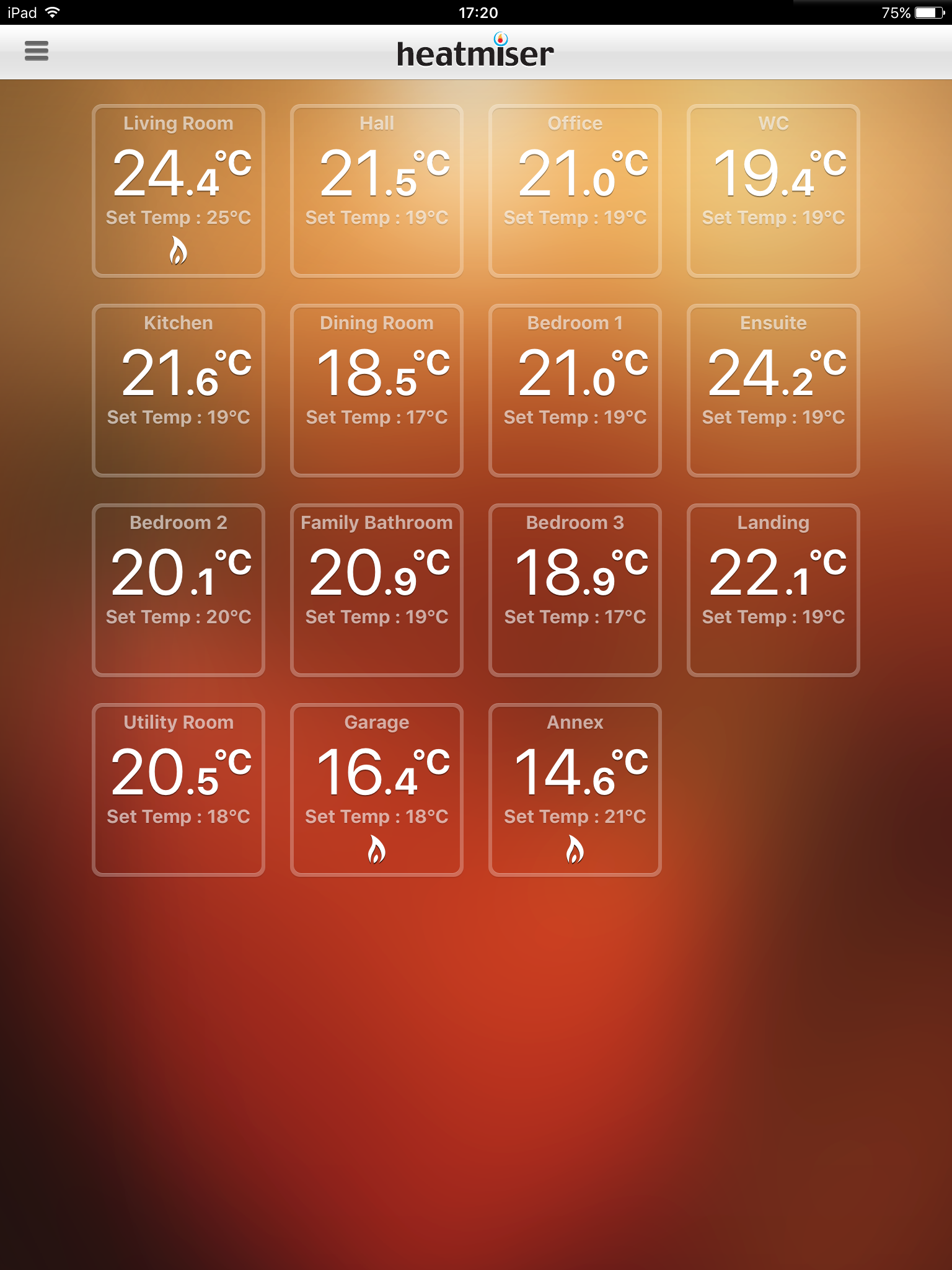
Add an option in the neoApp to display the room status in a single-page grid (a tile for each room, including target temp, current temp, flame and snowflake status icons). The current single-column list display might be fine for people who only have a few zones, but for anyone with more than around 5 zones (I have 15), the list doesn't fit onto a single page, which is inconvenient and makes it impossible to get a status overview at a glance.
Even better would be another option to import a floorplan and drag-and-drop the zone icons (including zone status details) to the respective rooms on the floorplan.
Comments: 5
Oldest
•
Newest
•
Most likes
•
Fewest likes
-
26 May, '20
TrevorHighlighted comment
Agreed. And to improve further on that, have the ability to choose the number of columns and rows for the grid (e.g 2x3, or 4x4), with the app auto-adjusting the size of the tiles to fit the width and height of the display screen (for iPhones as well as iPads and iPods / Android devices). -
21 Sep, '20
Alan AmbroseYeah also, eliminate the timeout option which takes you back to the Locations screen. Then you'll have a nice looking, continuously-on, control app for, say, a tablet, to make the system look great. Reverting to the very dull Locations screen after a few seconds is a missed opportunity.
-
29 Oct, '20
Paul HColour coding of the temperature for each room would also be good, so colder rooms where blue and hotter one red, with the others graded colours in between.
-
27 Jan, '21
Heatmiser R&D AdminWe have now introduced a grid theme option to the iOS and android app. Download the latest version to try it out.